March 3, 2026
Valentines Game
Description:
About a month ago for Valentine’s Day, I created a very quick rough game prototype for my wife as a gift.
Overview:
I wanted to create a very small, quick game as a gift for my wife for Valentine’s day. The main goals of this project were: make it nice and personalized, create something playable very quickly (since I had about 4 days to make it at the time), and learn to create digital art in some form.
The very small timeline was a good test to see how quickly I could put a playalbe demo of something together. Making it personalized and learning to create digital art went hand in hand, and I decided to get back into using Aseprite as a seemingly quick way to get into making digital art in some form since it is pretty basic and you can emulate existing sprite art relatively easily.
Aesprite:
As mentioned, my art software of choice for this project was Aesprite. It was actually very quick to pick this up if you do not need any fancy art tools besides “click to make pixels and sprites”. I could immediately generate single frame sprites and export those to easy to use 16 px x 16 px PNGs to use in the game. And I knew for the player I wanted the sprite to change as it constructed its own sweater, so that provided a quick pathway to starting to learn how to setup a basic sprite sheet in Aesprite by just adding a few frames to a given Aesprite file (which will be helpful for getting into animation later).
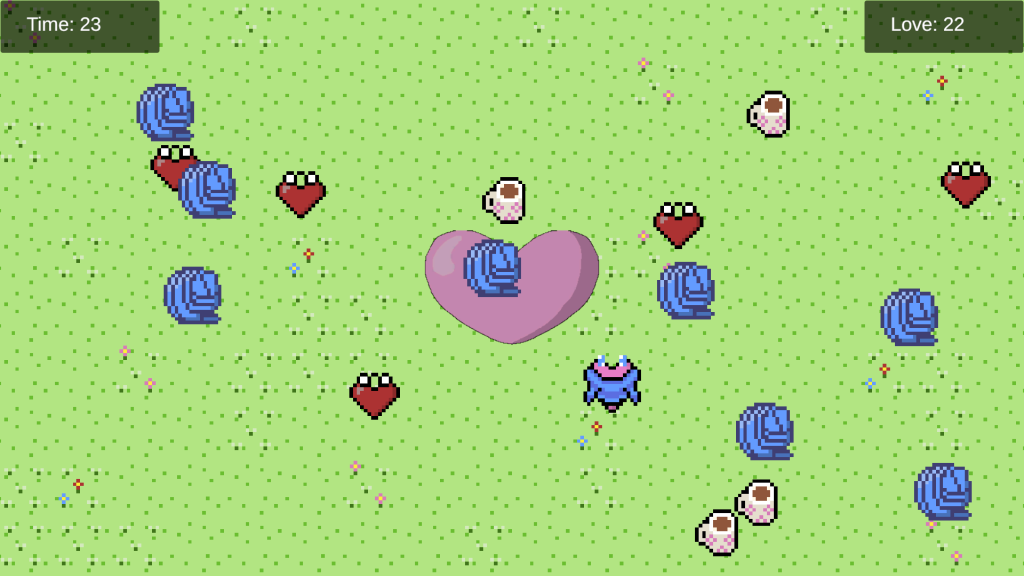
Screenshot of Current State of Game: